Adding Funds through the Client Area
Step 1: Accessing the Client Area
Begin by logging into the Nabtech Client Area. And clicking on the "Login" or "Client Login" option. Enter your credentials to access the Client Area.
Step 2: Navigating to the Billing Section
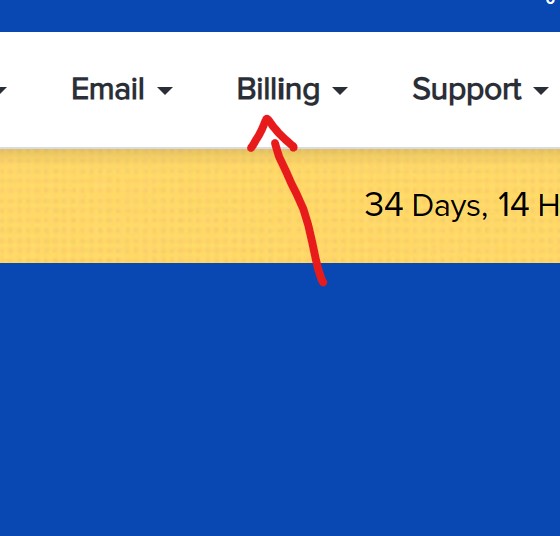
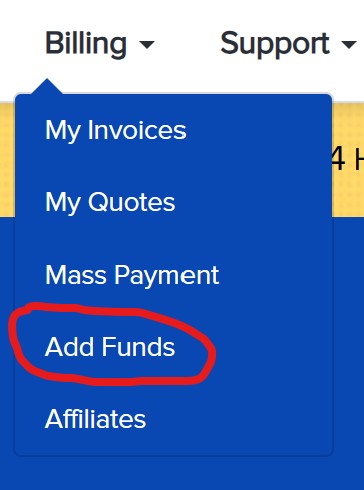
Once logged in, navigate to the main menu, where you will find the "Billing" option. Click on this option to reveal a dropdown menu. From this menu, select "Add Funds."
Step 3: Selecting the Payment Method
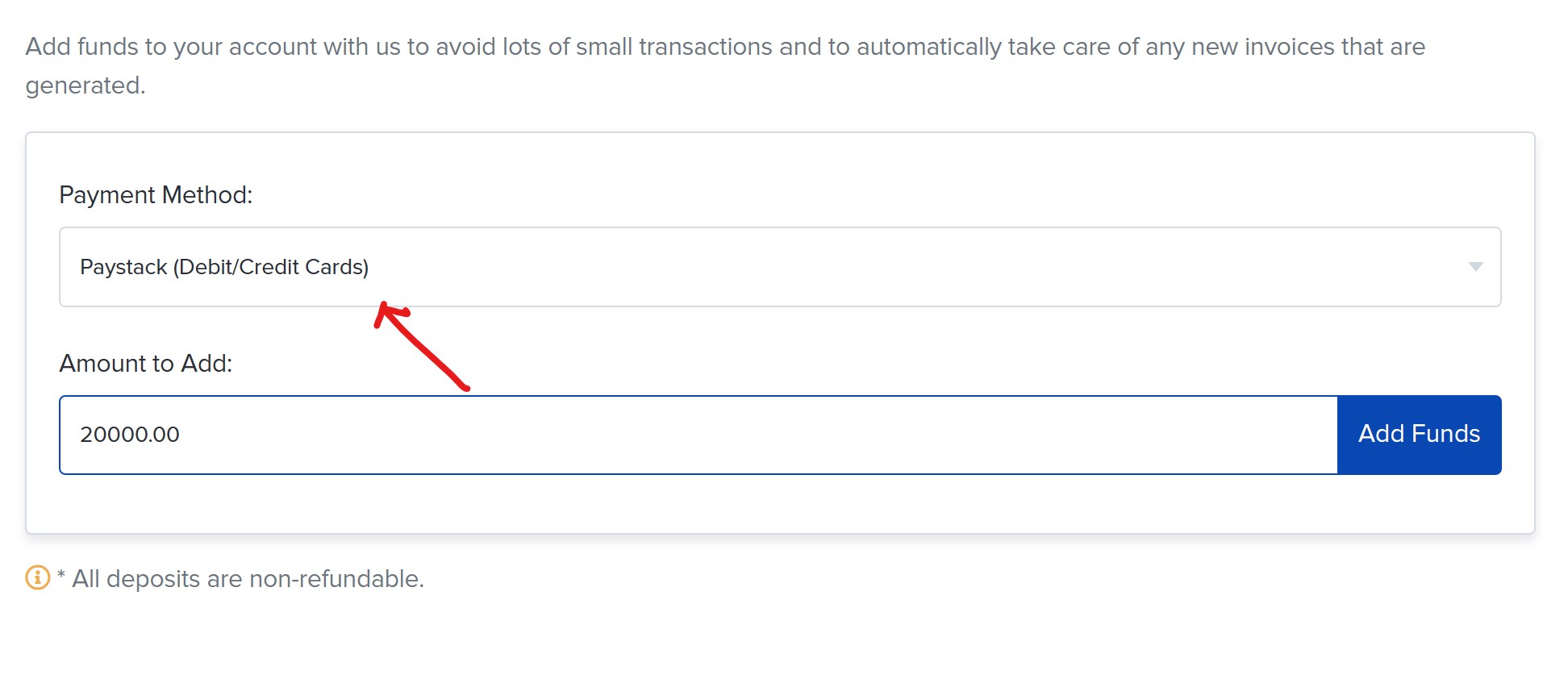
In the "Add Funds" section, you will be presented with various secure payment options. Choose the payment method that best suits your needs. Nabtech offers options such as credit/debit cards through Paystack and bank transfers to Nabtech Digitalnet Limited.
Step 4: Specifying the Amount
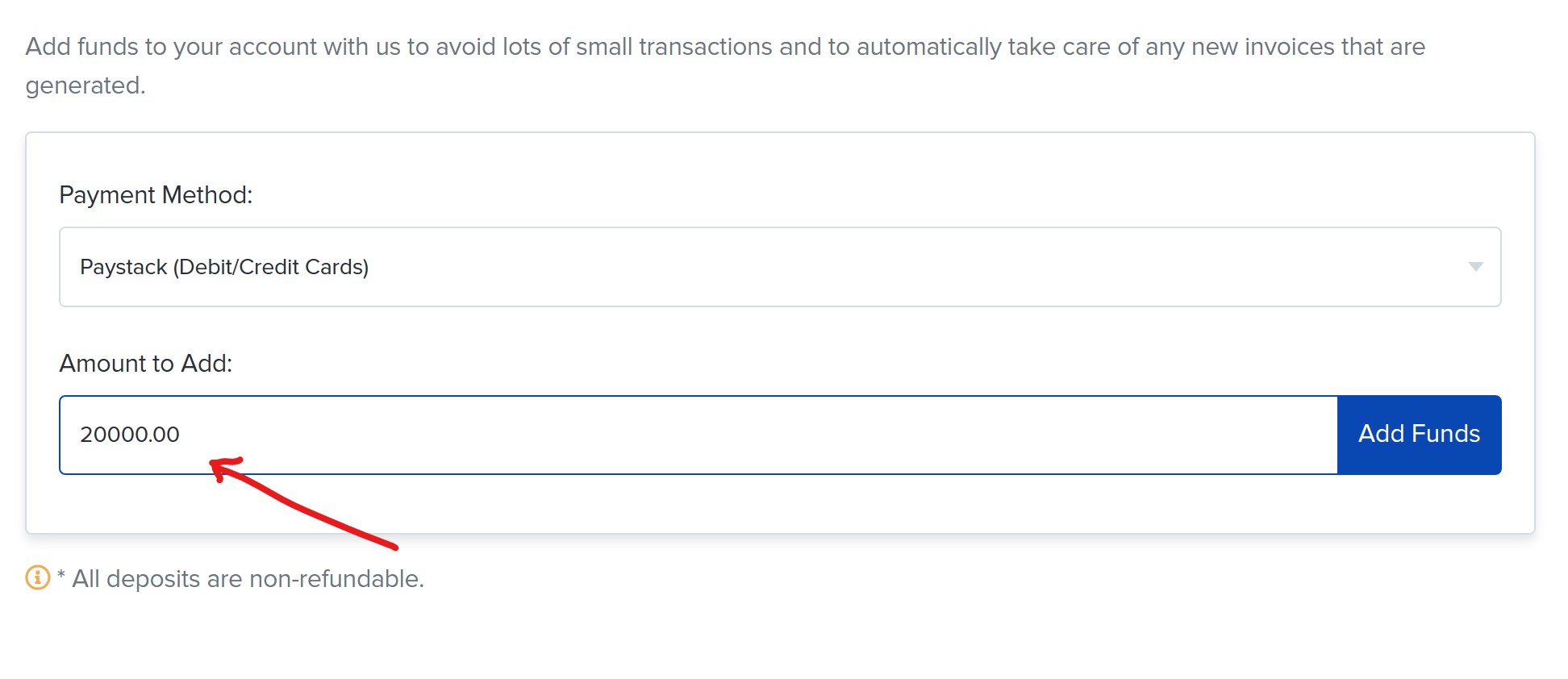
Enter the amount you wish to add to your Domain Reseller Account. It's important to input the correct amount to ensure your account is funded appropriately.
Step 5: Confirming the Transaction
Review the transaction details, including the payment amount and the chosen payment method, to ensure accuracy. If all details are correct, proceed to confirm the transaction by following the prompts provided for the selected payment method.
Step 6: Verifying the Transaction
After completing the transaction, allow some time for the funds to reflect in your Domain Reseller Account. You can verify the successful addition of funds by checking your account balance in the Client Area.
Congratulations! You have successfully added funds to your Domain Reseller Account, enabling you to manage your domain-related services effortlessly.
For any technical matters related to this process, feel free to reach out to our dedicated Nabtech Technical Team. If you have general support inquiries, contact the Nabtech Support Team. For sales-related matters, don't hesitate to reach out to the Nabtech Sales Department. Finally, for any billing inquiries, the Nabtech Billing Department is here to assist you. We appreciate your trust in Nabtech, and we're here to support you at every step of the way.
.png)
 (1).jpg)
 (1) (1).png)
 (1).png)
.jpg)
.jpg)

 (1).jpg)
.jpg)
